DI
The DI (Digital Input) panel allows users to read the status of digital input signals. Through this interface, you can monitor the digital signal changes of each port in real-time to confirm the input status of external devices.
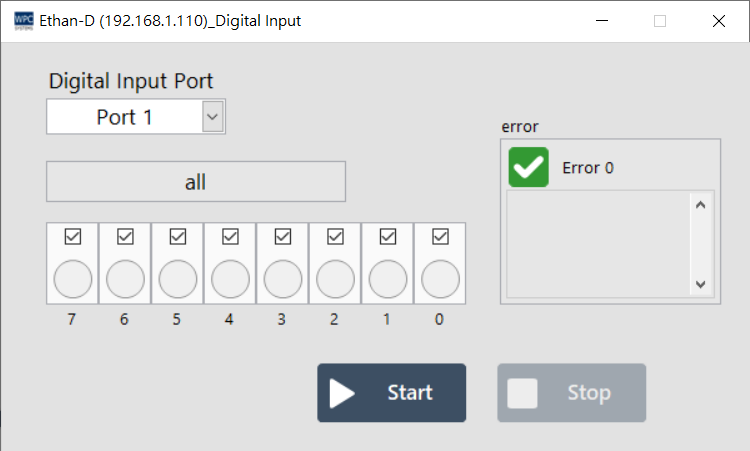
Supported Products and Ports
This function supports devices equipped with Digital Input (DI). Please confirm the corresponding port (Port) number according to your device model:
| Product Name | Port |
|---|---|
Ethan-D | 1 |
Ethan-EX-D | 2, 3 |
USB-DAQ-F1-AD | 0~3 |
USB-DAQ-F1-AOD | 0~3 |
USB-DAQ-F1-CD | 0~3 |
USB-DAQ-F1-D | 0~3 |
USB-DAQ-F1-DSNK | 0~3 |
USB-DAQ-F1-RD | 0~3 |
USB-DAQ-F1-TD | 0~3 |
Operation Description
Use the control buttons below to start or stop the signal reading function:
| Button | Function |
|---|---|
| Start | Start reading DI values. The lights on the interface will reflect the input status in real-time. |
| Stop | Stop reading DI values. |