Relay
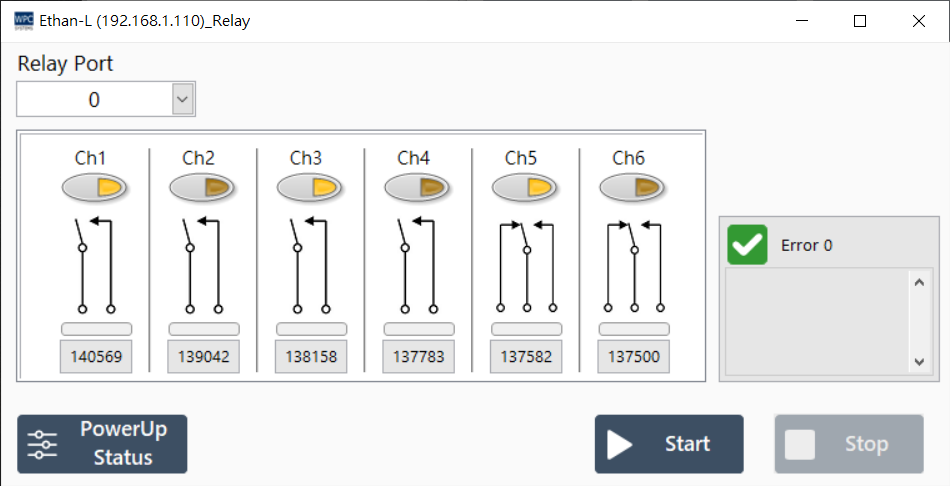
The Relay panel allows users to control the switch status of relays on the device and set the initial power-up state.
Supported Products and Ports
| Product Name | Port |
|---|---|
Ethan-L | 0 |
Function Operation
| Button | Function Description |
|---|---|
| Start | Enable relay control and real-time status feedback. |
| Stop | Stop control. |
| Power-Up State | Set the default status when the device powers up or reboots. |
Power-Up State Settings
Click the Power-Up State button to enter the detailed setting page:
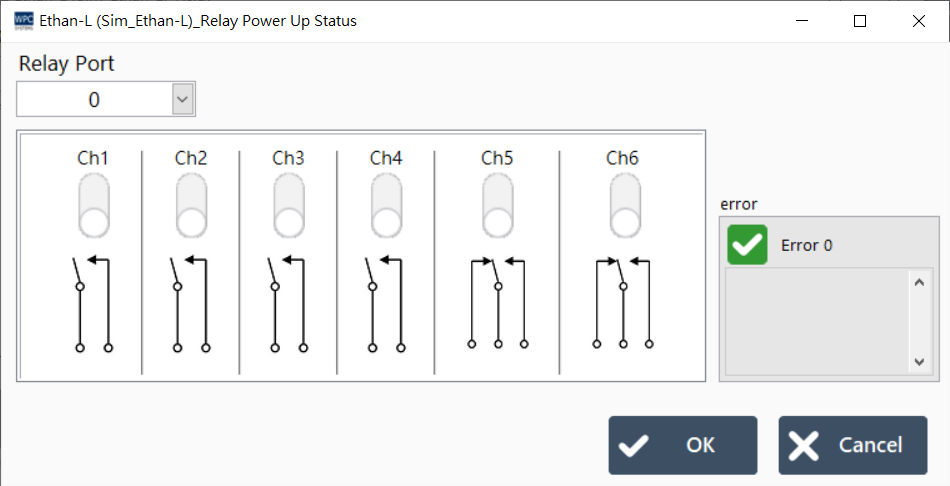
On this page, you can specify whether each relay channel should remain ON or OFF at the moment the device is powered on (Power On). Please save after settings are complete, and this setting will be automatically applied the next time the device reboots.