Encoder
The Encoder panel allows users to read position and speed information from quadrature encoders. It is suitable for motor position feedback and rotation speed monitoring.
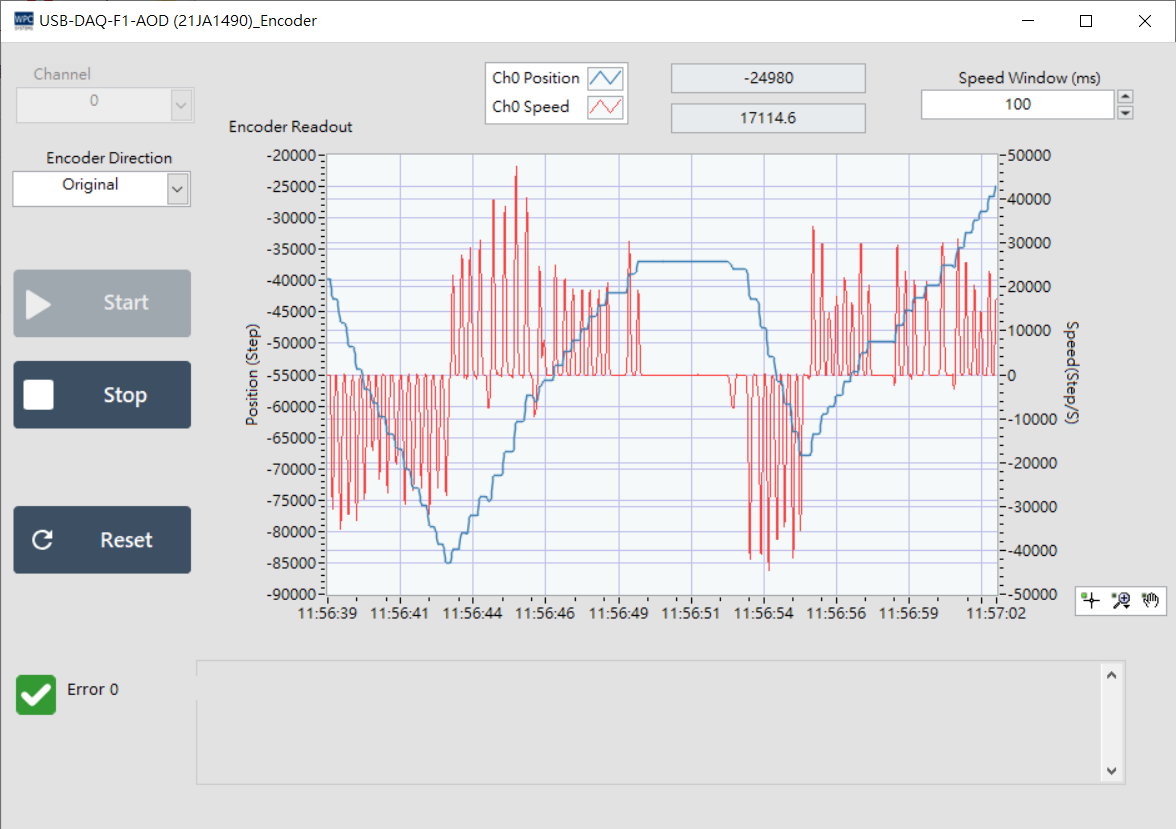
Parameters and Value Display
The interface provides real-time encoder status information:
| Parameter/Display | Description |
|---|---|
| Channel | Select the encoder channel to read (default is 0). |
| Position | Current absolute encoder position (Counter Value). |
| Speed | Current rotation speed (RPM or other units, depending on settings). |
| Speed window | Speed measurement window time, used to calculate the sampling interval of rotation speed. |
| Encoder Direction | Current rotation direction indicator. |
Operation Description
Use the control buttons below to perform reading and reset functions:
| Button | Function |
|---|---|
| Start | Start real-time reading of encoder values and status. |
| Stop | Stop reading. |
| Reset | Reset the current encoder position value (Position) to zero. |