Updating myRIO Firmware and Software
Before starting the update process, please confirm the number of LabVIEW versions installed on your computer and choose the appropriate procedure based on the following scenarios.
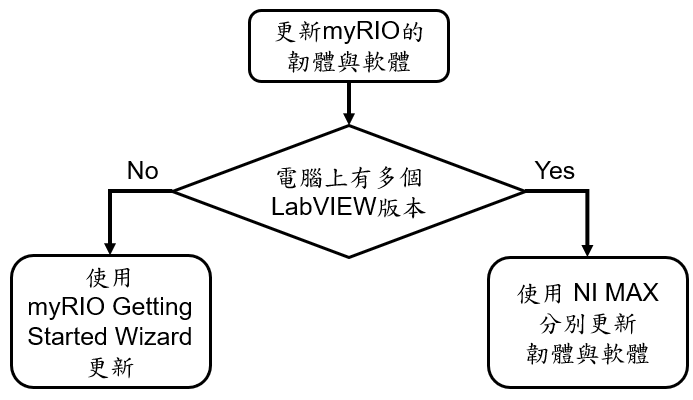
Scenario 1: Single LabVIEW Version
If only one version of LabVIEW is installed on your computer, it is recommended to use the myRIO Getting Started Wizard for an integrated update.
Steps
- Launch the myRIO Getting Started Wizard.
- Follow the guided interface to update both firmware and software simultaneously.
- For detailed procedures, please refer to the official guide:
Scenario 2: Multiple LabVIEW Versions
If multiple versions of LabVIEW are installed on your computer, please update the firmware and software separately to ensure version compatibility.
1. Update Firmware
Refer to the following official document for firmware updates or version restoration:
2. Update Software
After the firmware update is complete, install the corresponding software version based on your development needs:
Troubleshooting
If you encounter error code -2147220312 during the software update process, please refer to the Additional Information section of the following document: