Remote Control Tutorial
Drone Remote Control Operation Video
Remote Controller Button Descriptions
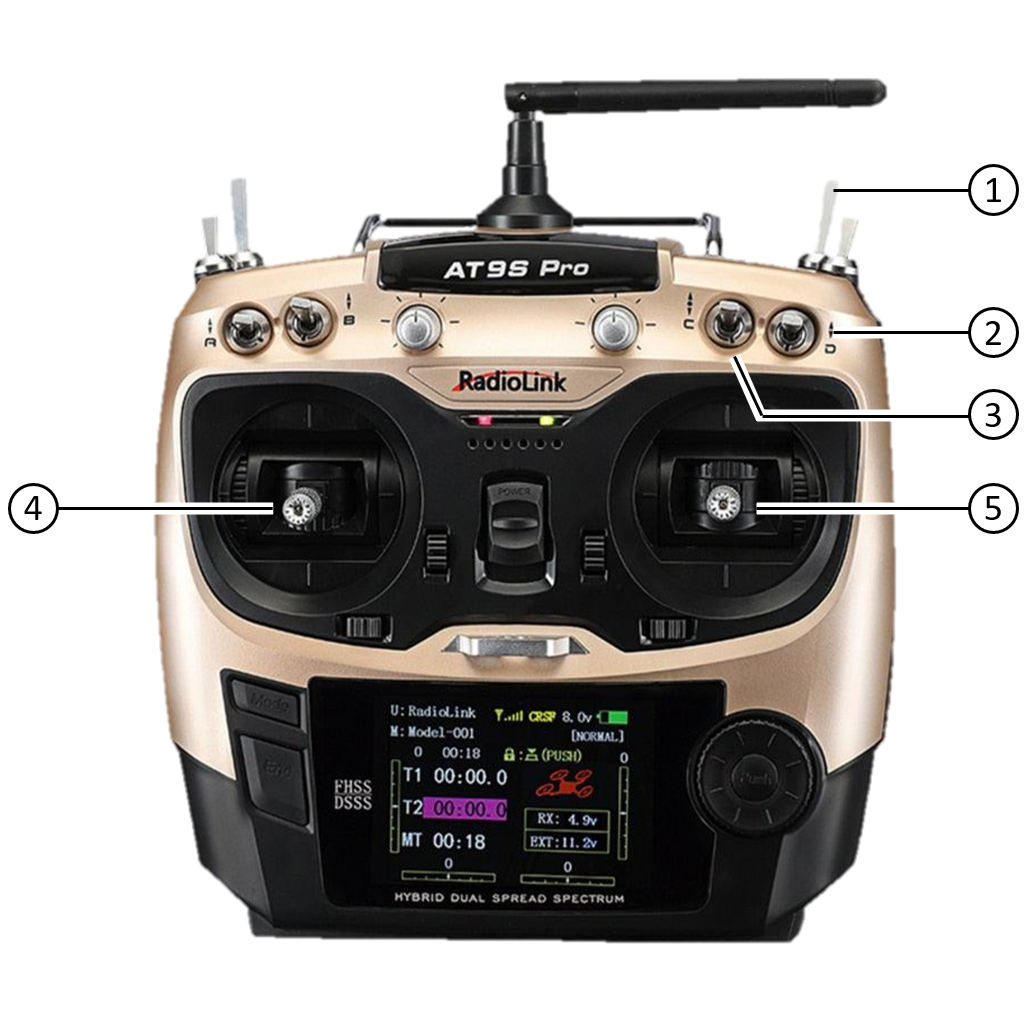
| Position | Function | Description |
|---|---|---|
| ① Top Right Toggle | Takeoff Button | Toggle this switch to execute the takeoff action. |
| ② Top Right Toggle | Upper Control Mode | Switch Control Authority: - Remote controller: Manual control via RC - Mission computer: Autonomous control via mission computer |
| ③ Middle Right Toggle | Flight Control Mode | - Stop: Stop motors - Attitude: Attitude mode (more flexible) - Position: Position mode (more stable) |
| ④ Left Stick | Z ( ↕ ) / Yaw ( ↔ ) | - Z ( ↕ ): Controls ascent and descent (throttle) - Yaw ( ↔ ): Controls in-place left and right rotation |
| ⑤ Right Stick | Roll ( ↔ ) / Pitch ( ↕ ) | - Roll ( ↔ ) / Y: Controls left and right flight (strafe) - Pitch ( ↕ ) / X: Controls forward and backward flight (tilt) |
Takeoff Operation
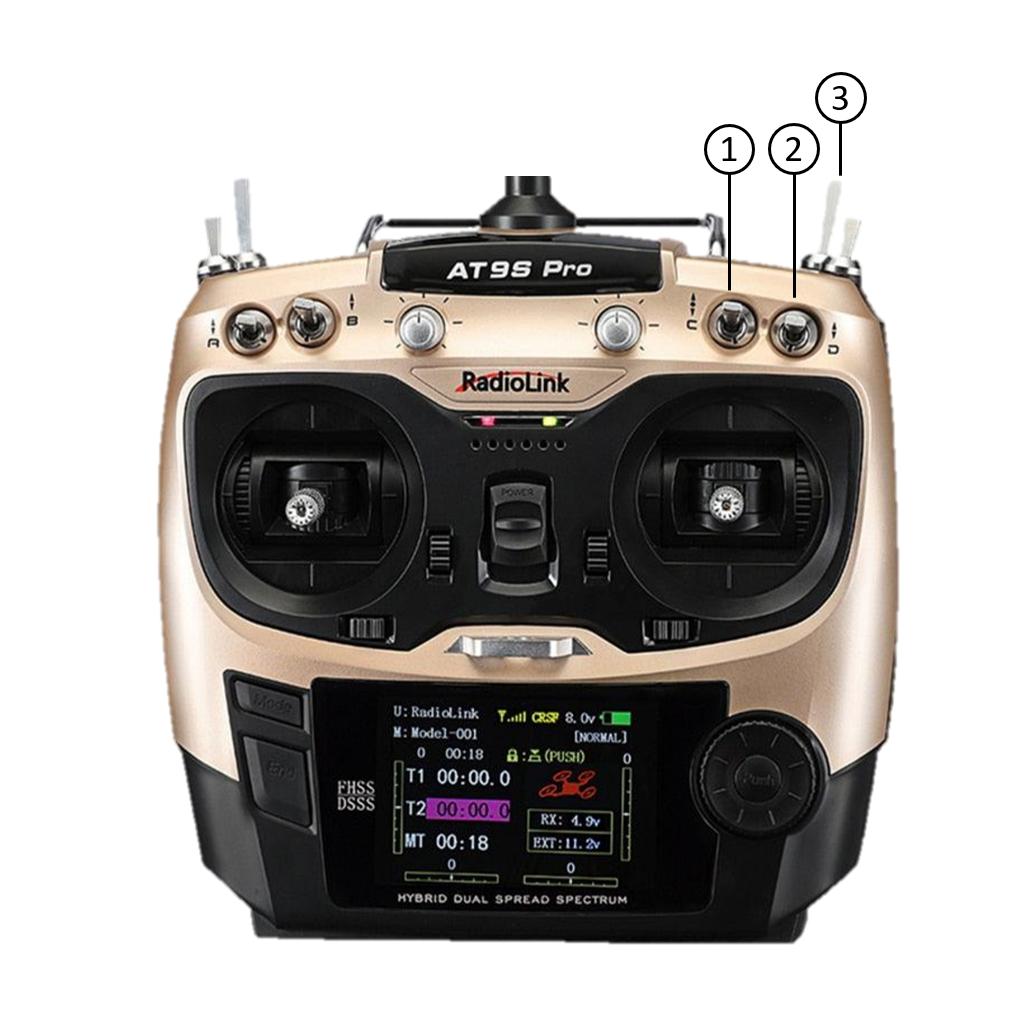
| Step Order | Description |
|---|---|
| Step 1 Set Flight Mode | Toggle the "Flight Control Mode" to Attitude mode (middle) or Position mode (bottom). |
| Step 2 Confirm Authority | Confirm the "Upper Control Mode" switch is set to Remote controller (top). |
| Step 3 Execute Takeoff | Press and hold the "Takeoff Button" until the drone takes off. |
| System Response | The automatic takeoff sequence is as follows: 1. Rotors spin at low speed for 2s 2. Rotation speed increases to a set value 3. Constant speed maintained for 2s 4. Drone lifts off the ground |
Landing Operation
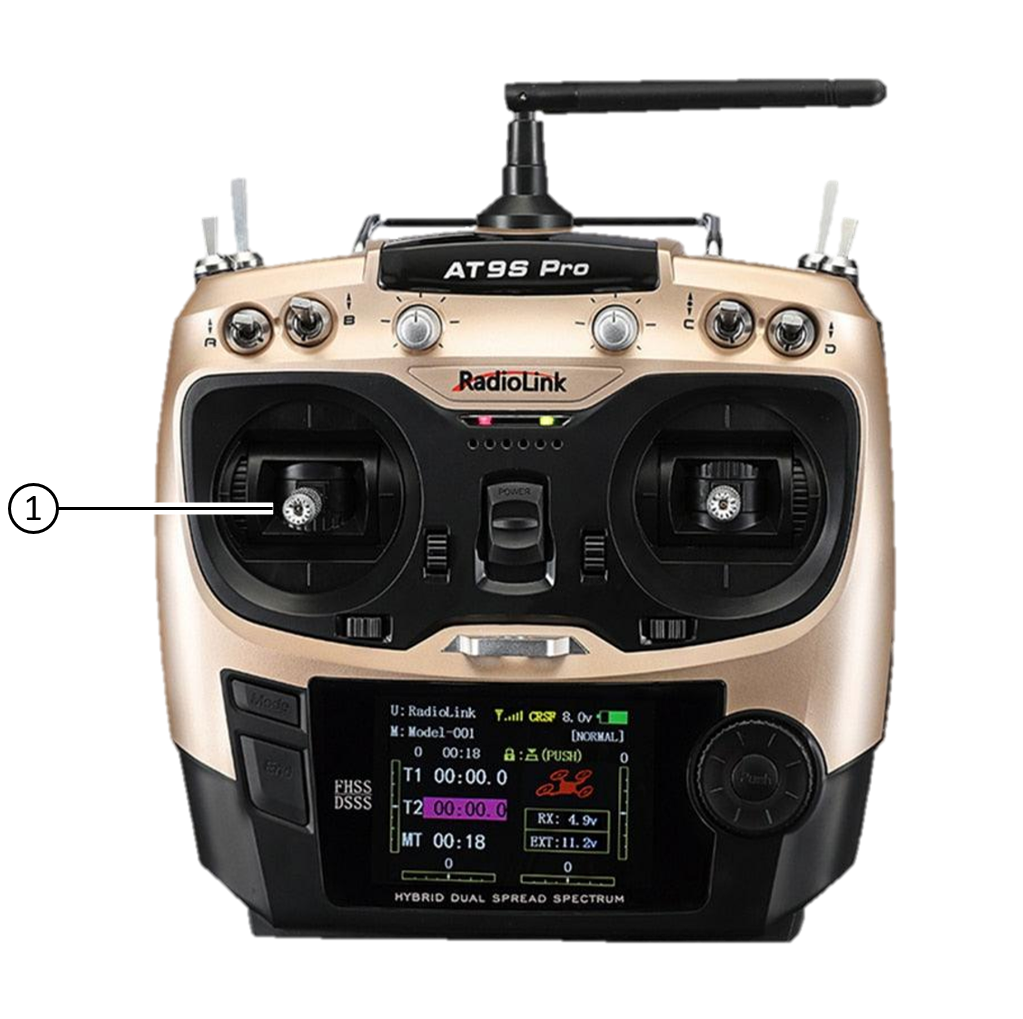
Move the left stick (Z-axis control stick) ( ↕ ) to the lowest position. After the drone nears the ground, it will automatically disarm the flight mode.
Emergency Shutdown
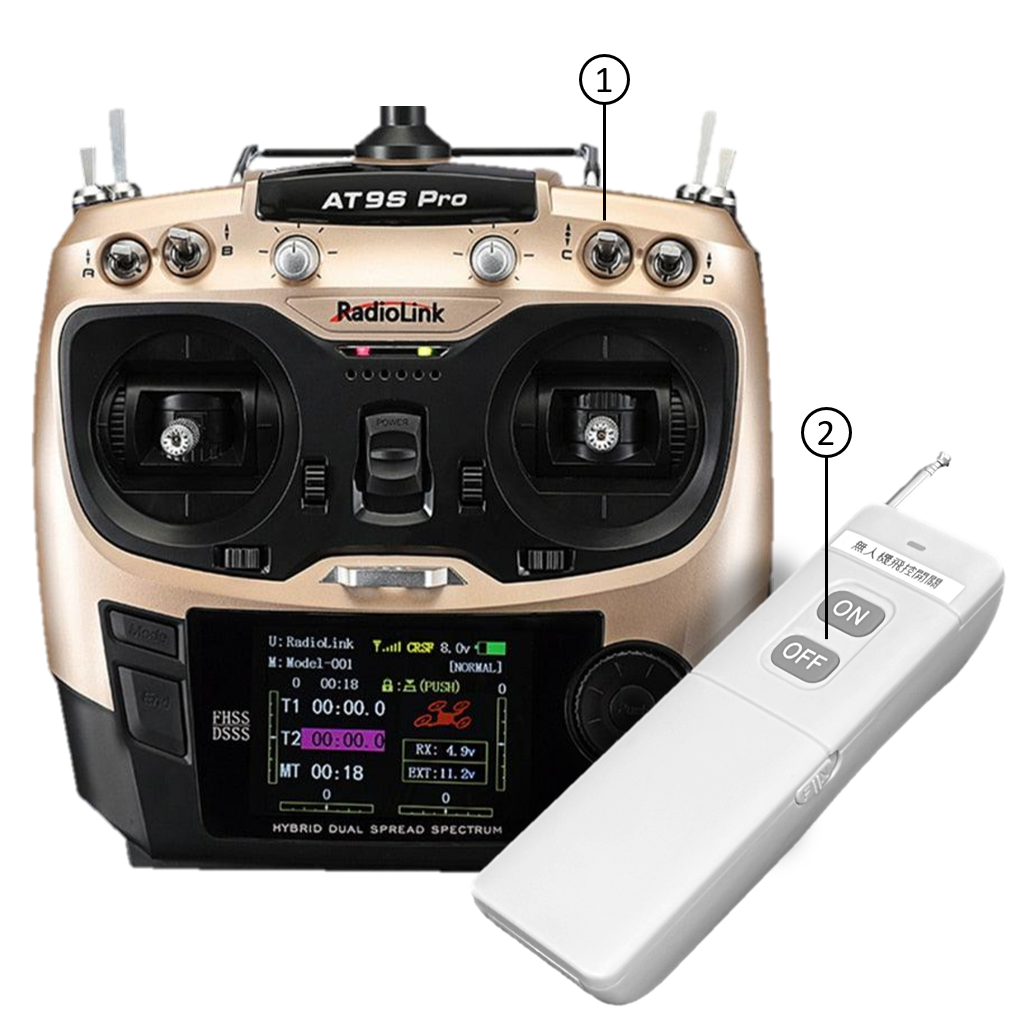
Emergency Shutdown:
| Method | Operation Steps | Result and Logic |
|---|---|---|
| Method ①: RC | Disarm Flight Mode: Toggle to the top (Stop) | This tells the flight controller to "stop executing missions". This is a software command, usually fast and standard. |
| Method ②: FC Switch | Force Power Cut: Press the OFF button | This directly cuts the power supply to the flight control system. Similar to pulling a plug, it is the most thorough shutdown. ⚠️ The drone may lose power instantly and fall. |