Takeoff Tutorial
Pre-flight Checklist
- Confirm the drone's center of gravity is balanced.
- Check that all payloads are securely fastened.
- Confirm all screws on the drone are tightened.
- Check that the drone battery voltage is full (approximately 12.5 V).
- Confirm the USB drive has sufficient capacity to store flight data for this session.
- The USB drive must be plugged into the flight control computer.
warning
If a USB drive is not inserted, the drone will not operate.
1. Connect Battery Power
After connecting the battery to the drone power supply, the motors will emit a short "beep" every second, which is a normal standby prompt.
2. Disarm Emergency Switch
Toggle the emergency power cut-off switch to the ON position to power up the flight controller.
warning
If the emergency power cut-off switch is not set to ON, the drone will not start.
3. Wait for Flight Controller Startup
It takes approximately 2 minutes for the flight controller to start. Upon completion, the motors will emit a longer "beep", indicating the flight controller is ready.
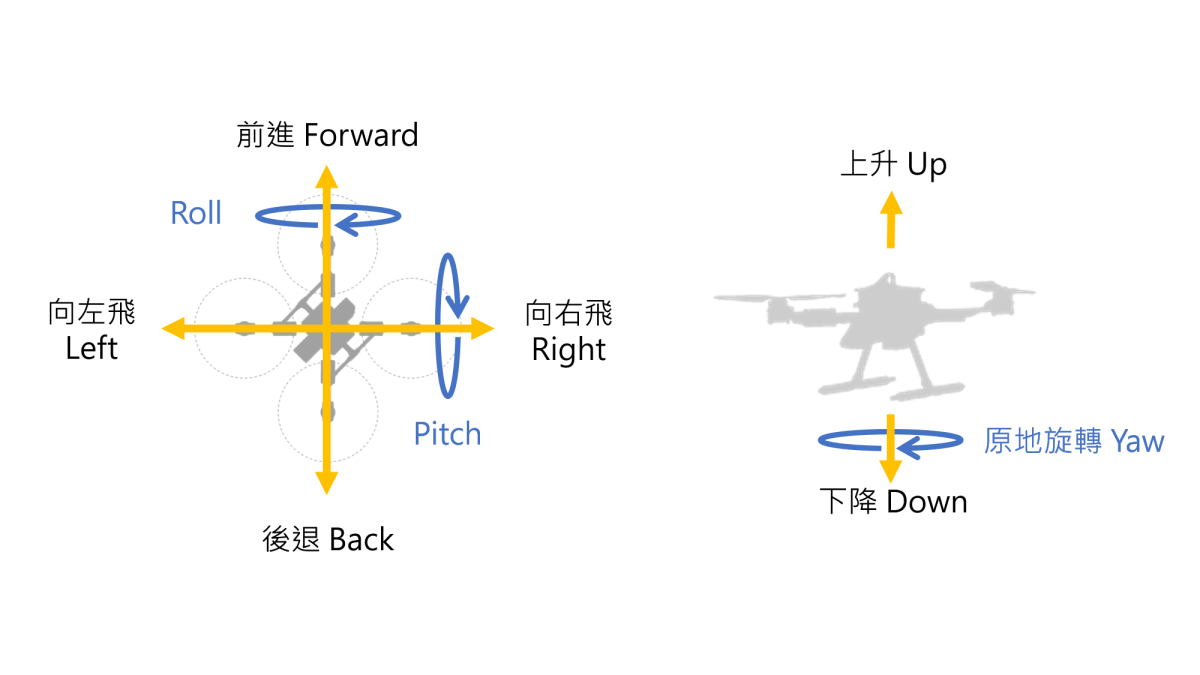
4. Flight Direction Confirmation
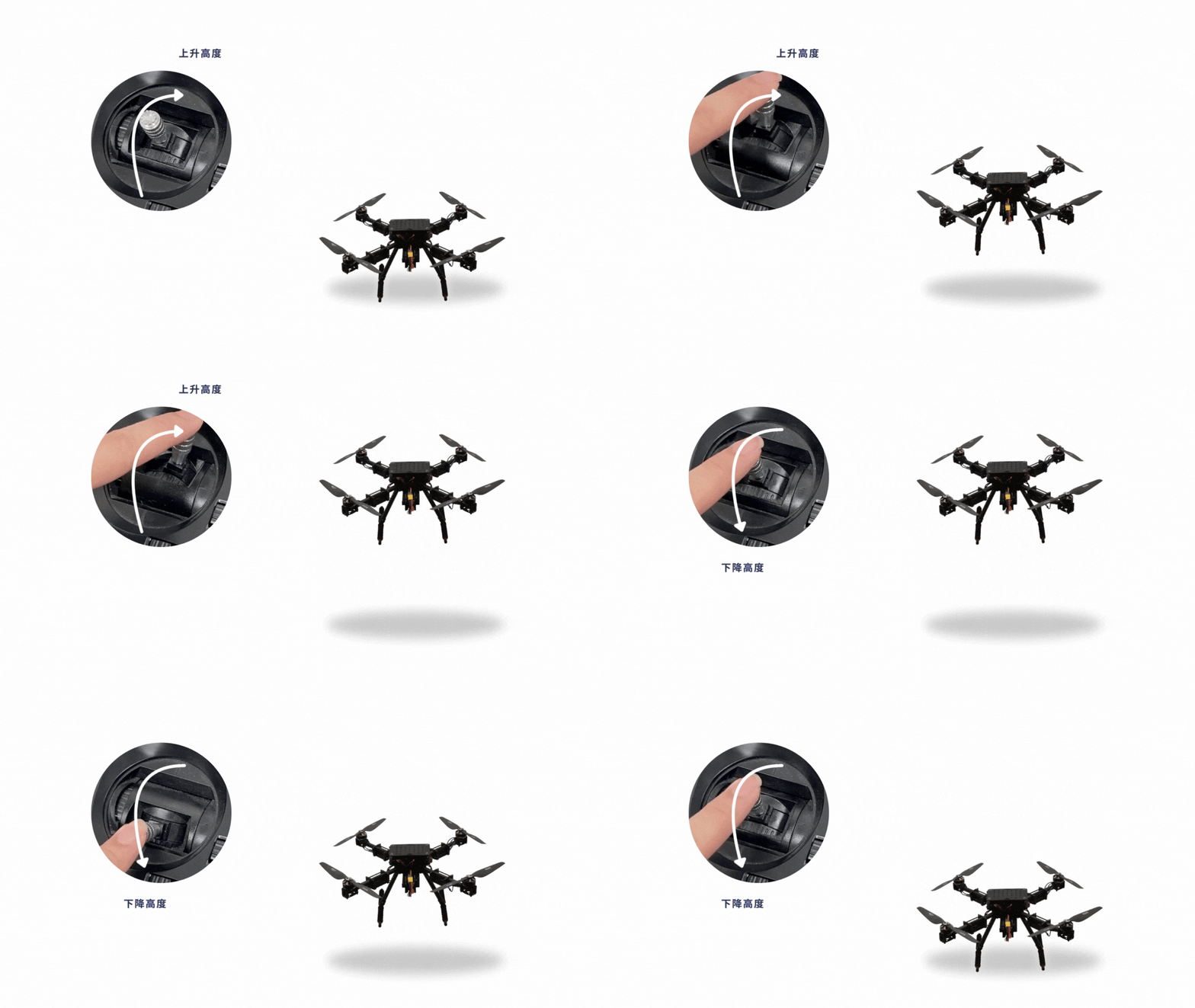
Ascend/Descend
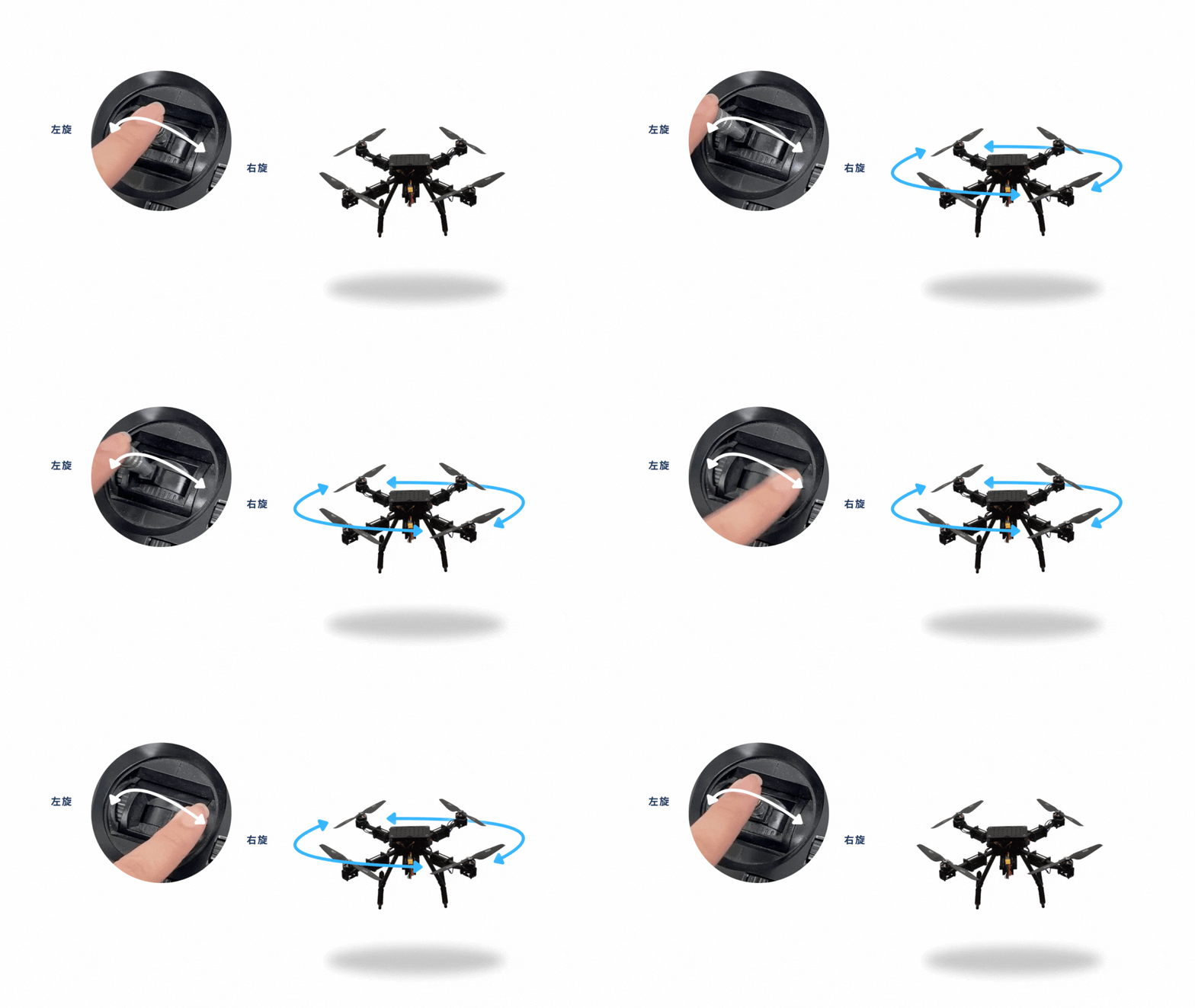
Rotate (Yaw)
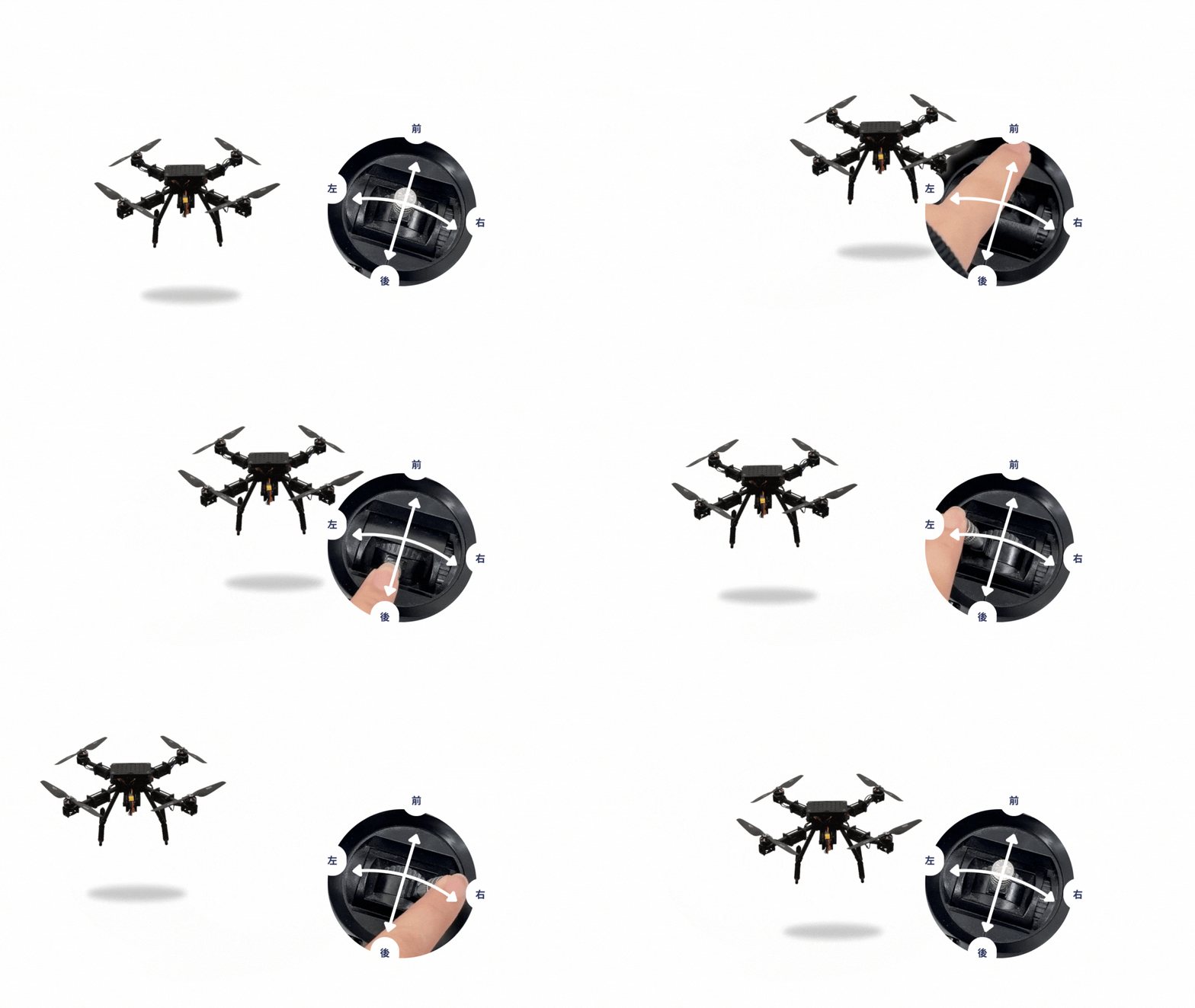
Move (Translation)
5. Landing and Shutting Down
If the battery is low, please land immediately and remove the battery for replacement.