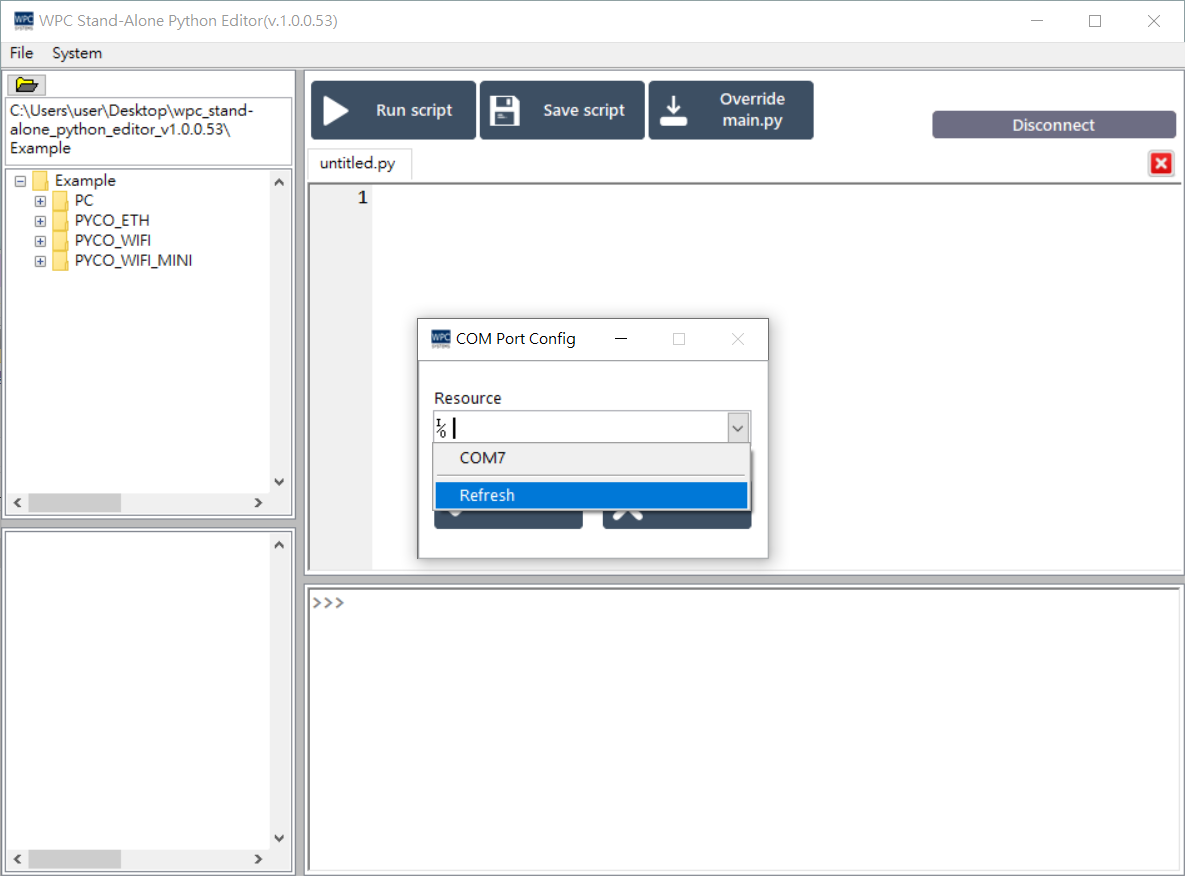
Interface and Connection
Main Screen Introduction
The main screen areas of the Stand-Alone Python Editor are divided as follows:
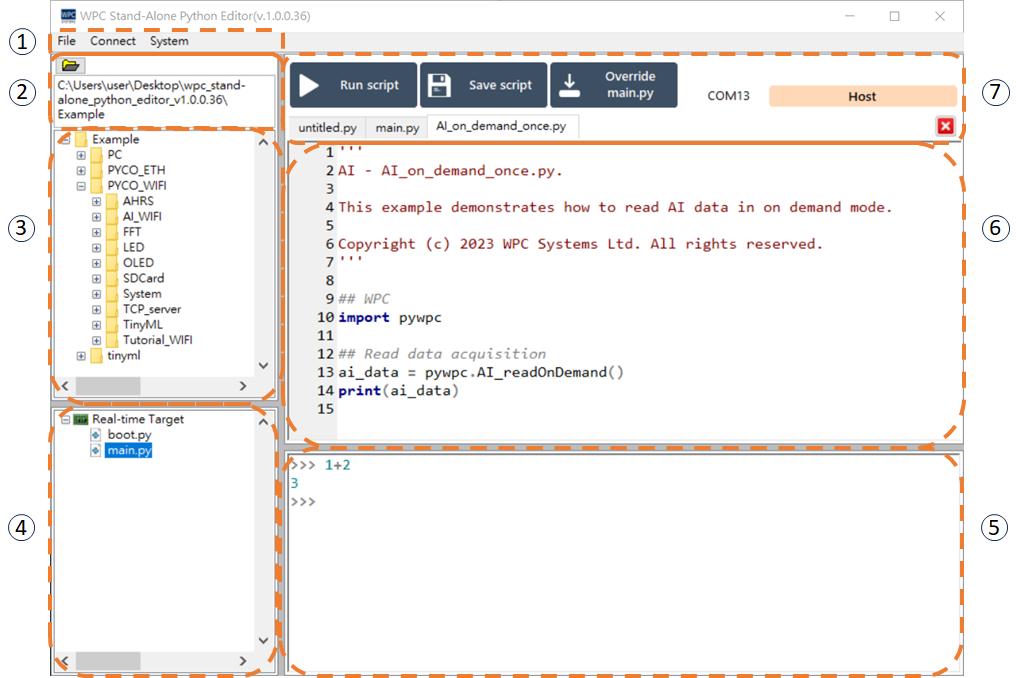
- Menu bar:
- a. File: File management.
- b. Connect: Connection settings.
- c. System: System information.
- Project File Path (Host PC): Displays the project file path on the host computer.
- Project File (Host PC): Displays the project file list on the host computer.
- Project File (Target): Displays the file list on the target device (WPC hardware).
- Console: Displays program output results and messages.
- Editor: Area for writing and editing Python code.
- Action Buttons: Contains functional buttons such as executing scripts, saving scripts, etc.
Hardware Connection
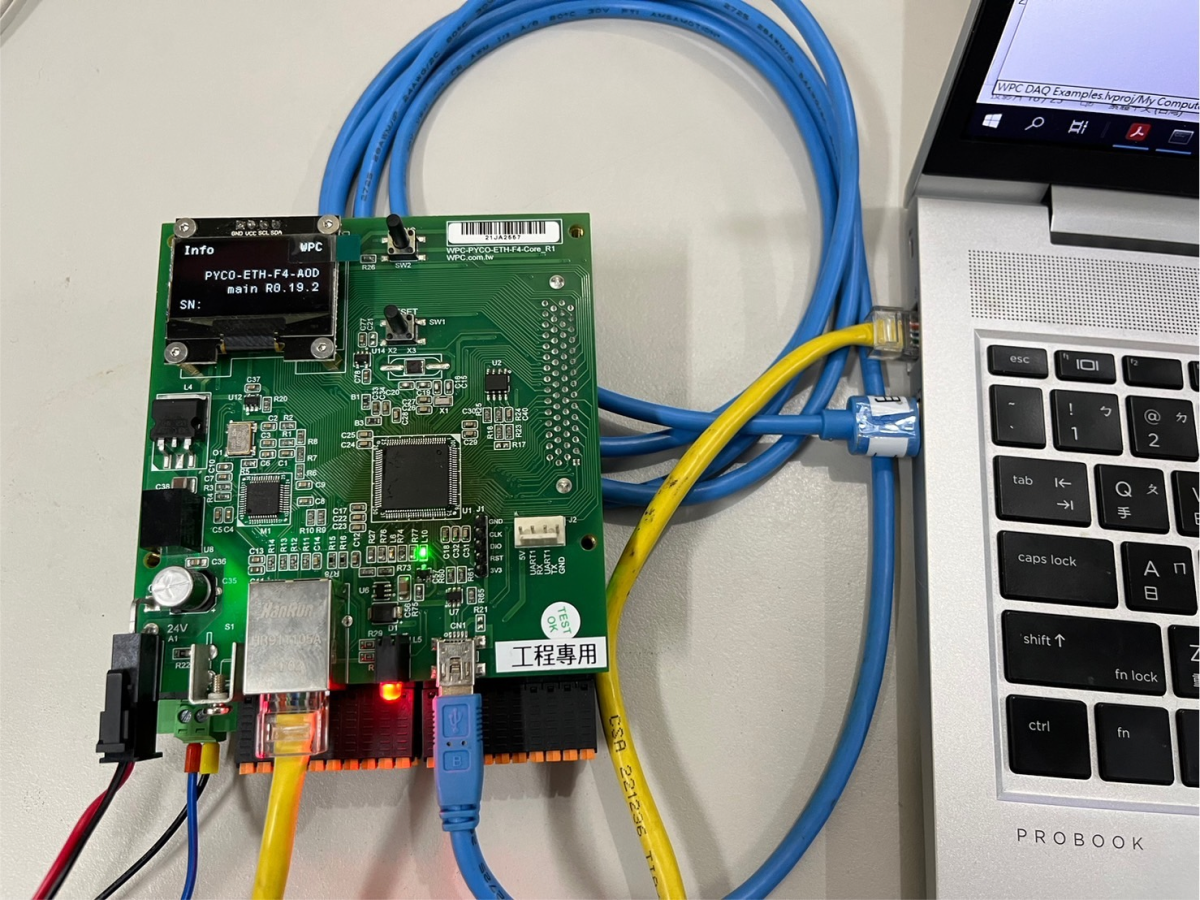
Step 1: Connect USB
Please use a USB cable to directly connect the WPC hardware to the host computer (Host PC).
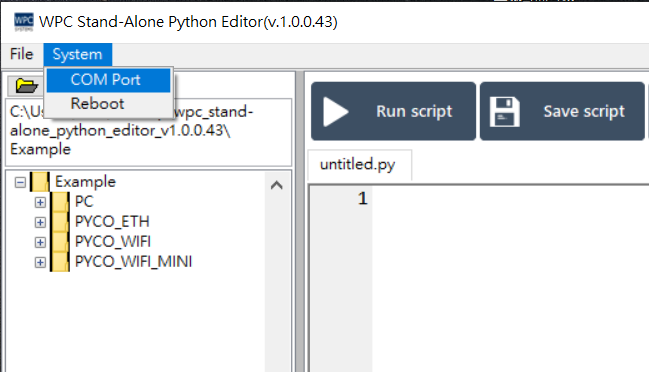
Step 2: Configure COM Port
Open the connection function from the menu bar, then select COM Port Settings.
Please select the appropriate COM Port number.