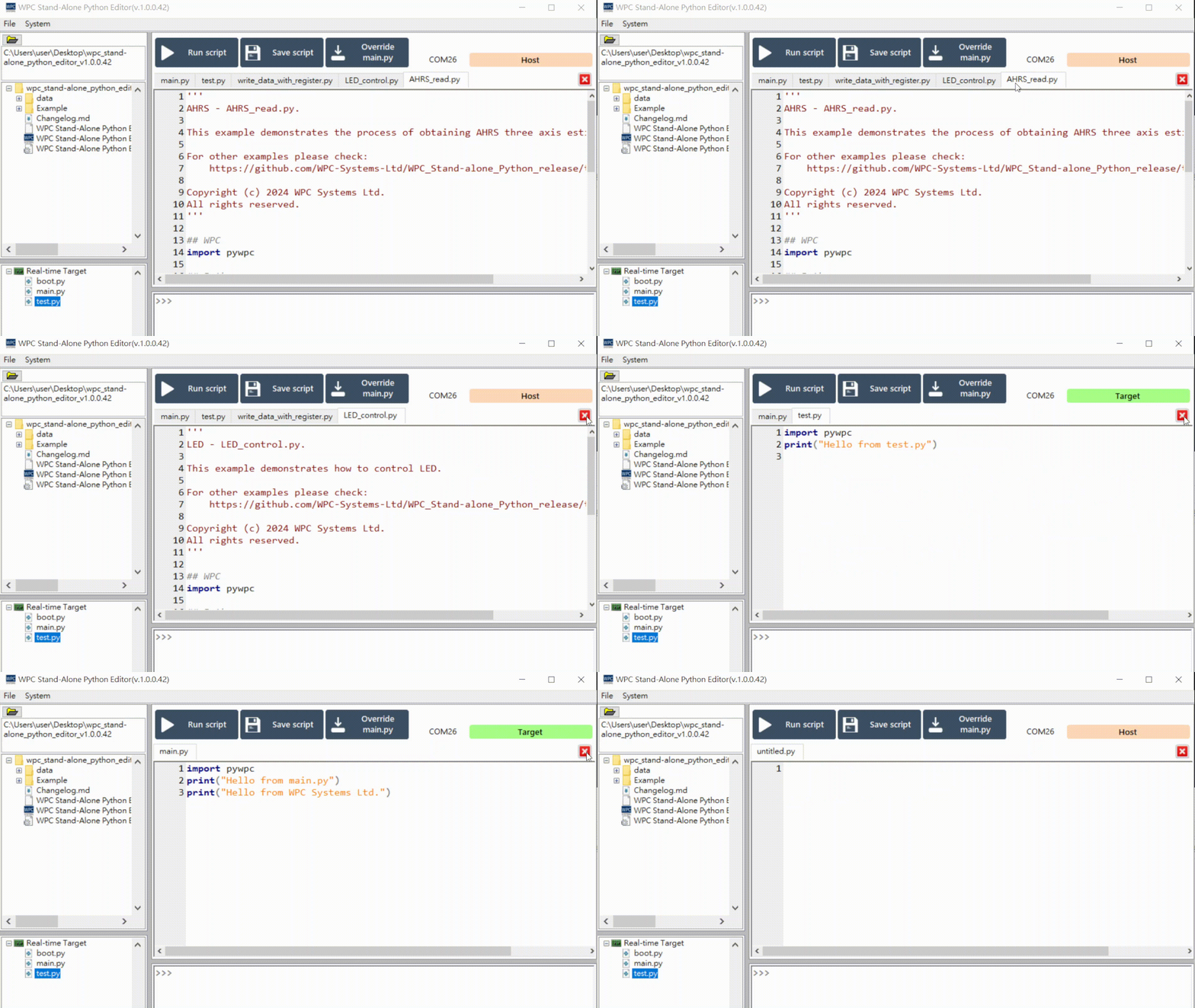
General Functions
File Transfer
You can directly drag and drop files from the Host PC to the Target (WPC device).
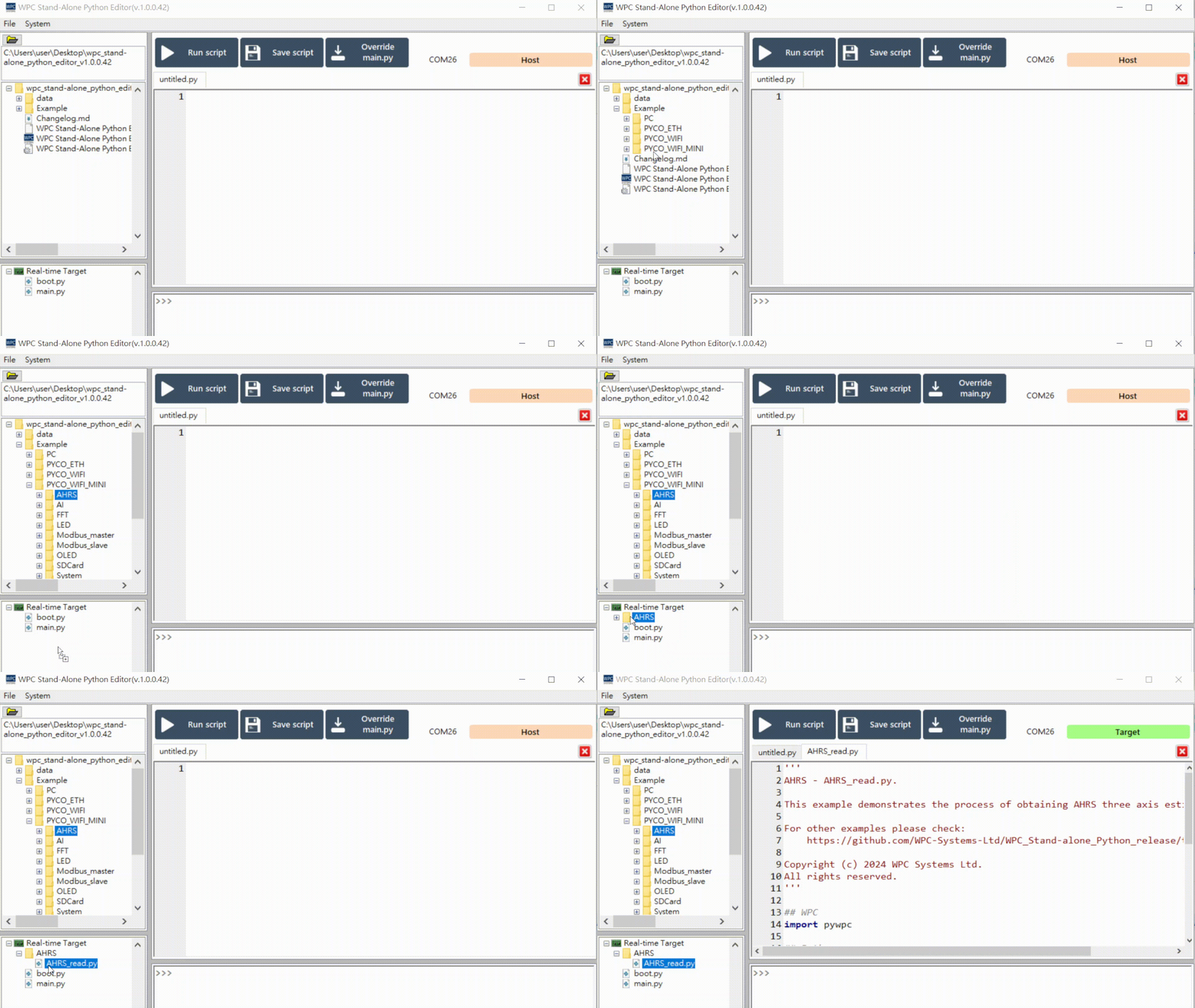
For example: Drag example code from a folder on your computer directly into the list on the target device.
Run Script
Write or open main.py code in the Editor. Once completed, click the "Run script" button to execute the code; the results will be displayed in the Console.
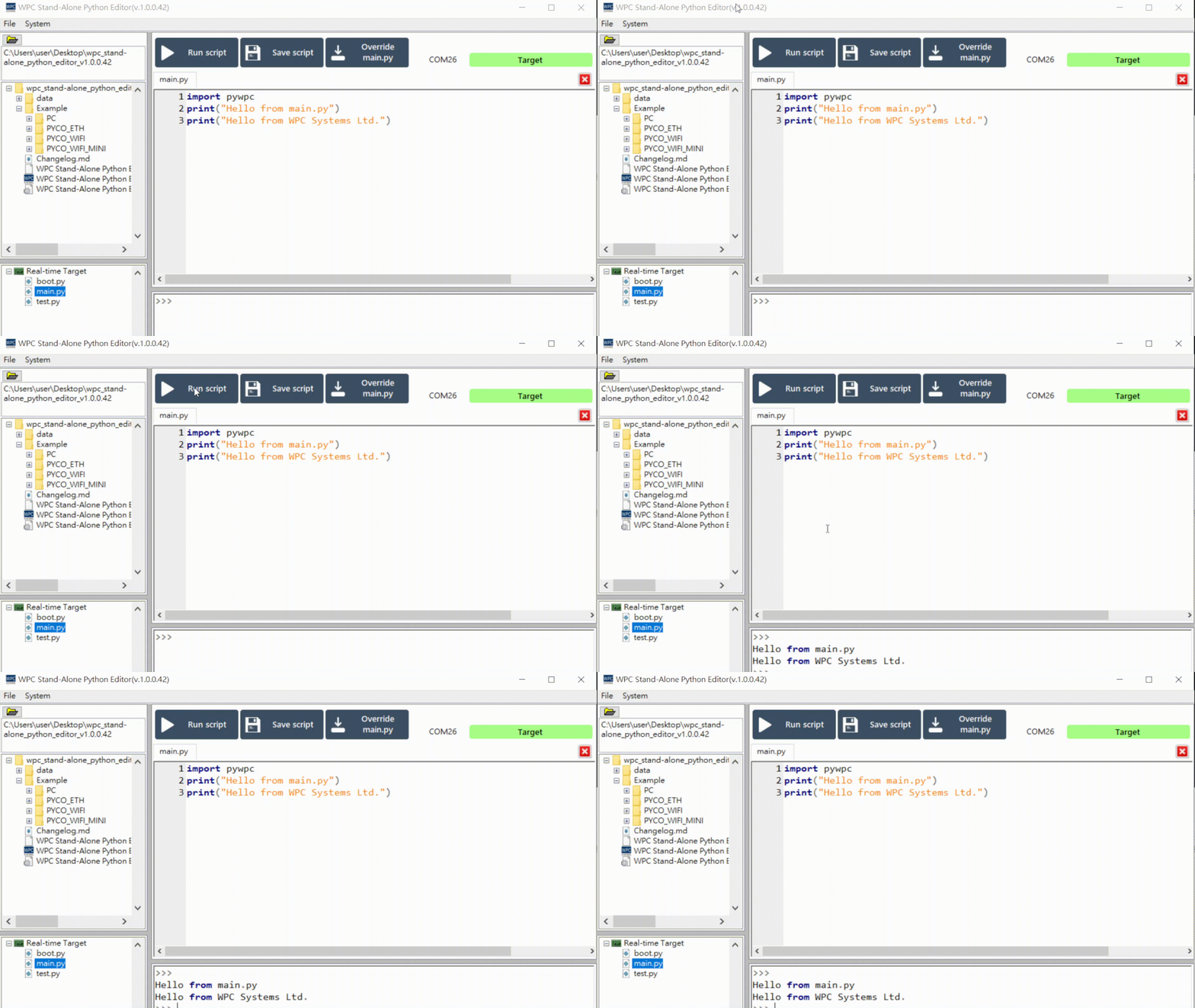
Example code:
import pywpc
print("Hello from main.py")
print("Hello from WPC Systems Ltd.")
Save Script
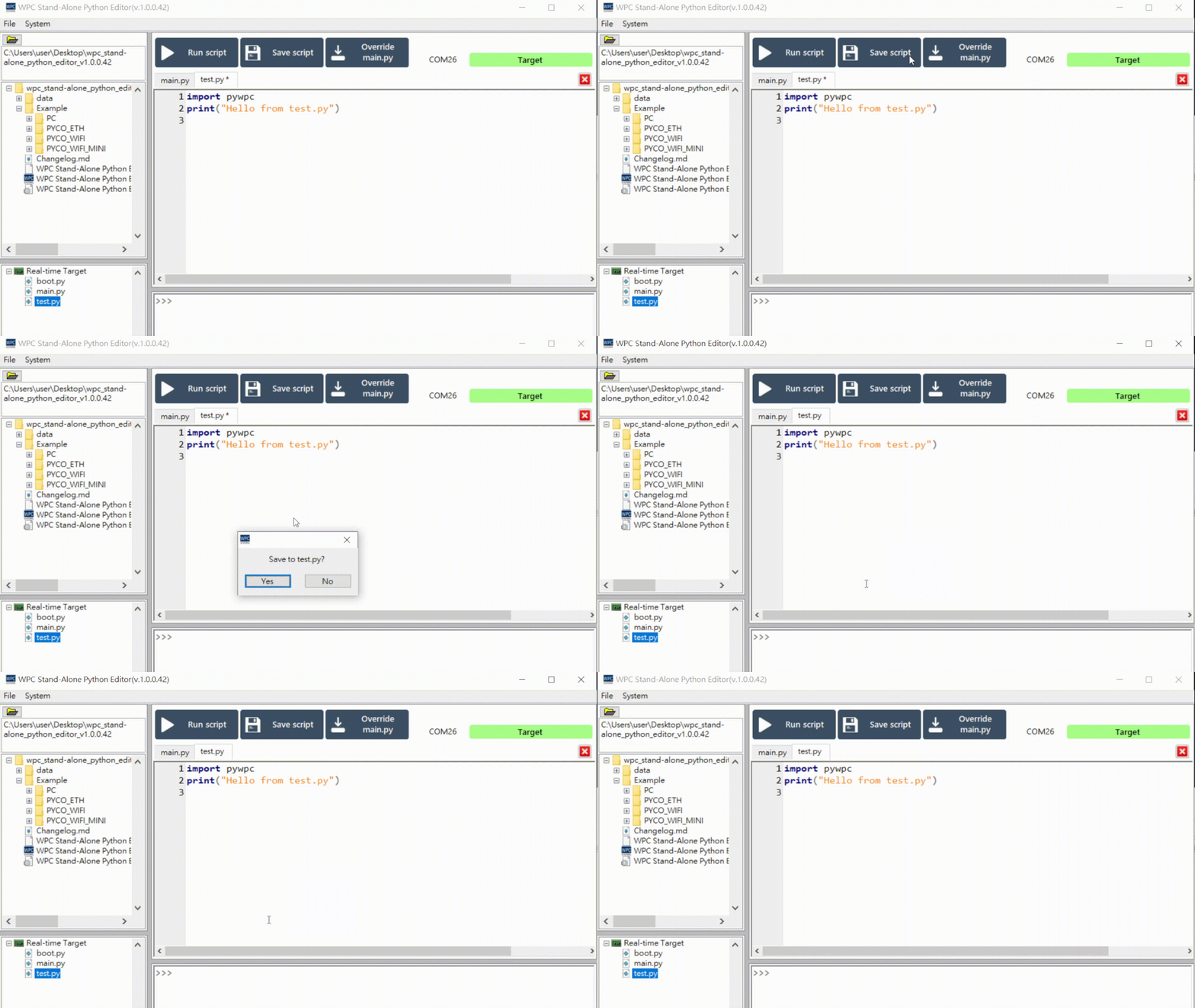
Edit the code in the Editor. If the file has not been saved, an asterisk (*) will appear next to the filename.
After editing, click the "Save script" button. A confirmation window will pop up; please select "Yes" to confirm saving. After saving, the asterisk will automatically disappear.
Override main.py
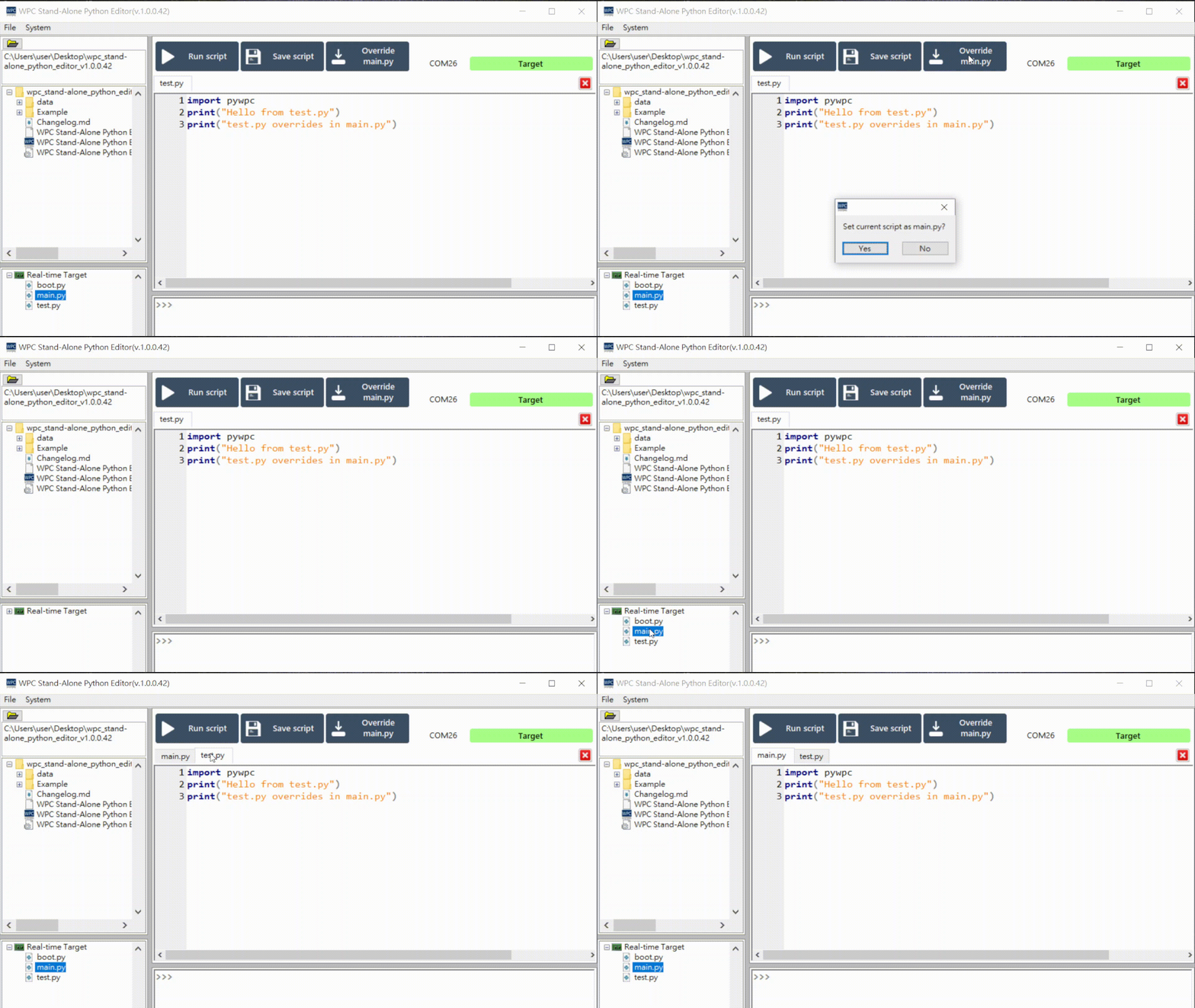
This function allows you to override main.py with the code currently being edited (e.g., test.py).
Click the "Override main.py" button. A confirmation window will pop up; please select "Yes".
Close File
Click the red close button to close the file.